Find a 99Exch Game

Sign-in screen, read line by line on 11 Oct 2026

99Exch Login — Secure Screen Walkthrough to Sign In Right First Time

For a 99Exch login, open a working 99Exch address, type the User Name and Password the desk sent you exactly as written, and press Login. No ID yet? Login with Demo ID opens a practice account with no deposit. Every element on that screen is mapped below, top to bottom.

Fast 99Exch ID Login Card With the Two Official Boxes

Sign in here just forwards you: the official 99Exch screen opens in a fresh tab, and these two boxes keep no copy of what you typed.

Sign In at the 99Exch Login Gate banner: user Name, Password, Login, with a man in a mint polo with a phone

99Exch Login Screen Map — Every Official Element and What It Does

Nine pieces. That is the whole 99Exch sign-in screen, and on 11 Oct 2026 we read it on five addresses (99exch.pro, 99exch.red, 99exch.live, 99exch.green and 99exch.win) without finding a single one out of order. Below is the stack as it sits, from the top edge down, with the job each piece does for you.

  1. LOGIN headingConfirms you are on the sign-in screen rather than inside a lobby. If you see INPLAY, CRICKET, FOOTBALL and TENNIS tabs instead, you have landed on a lobby (99exch.com served one in our check) and the Login link sits in its top row next to Rules.
  2. User Name boxTakes the 99Exch ID the desk sent you. Type it the way it arrived in the WhatsApp or SMS message, letters and case included.
  3. Password boxTakes the password from the same message. Case-sensitive, so a capital typed as a small letter is a different password.
  4. Login buttonSends the pair for checking. Press it once and wait.
  5. Login with Demo IDOpens a practice account. No deposit, no User Name, no Password to type.
  6. reCAPTCHA noticeSmall print under the buttons, naming reCAPTCHA, Google's filter against scripted sign-ins. Read it or skip it; there is no box to fill.
  7. Download .apkAn installer: useful on Android, pointless on an iPhone, where Safari plus a home-screen pin does the same job. Install notes sit with the 99Exch APK file details.
  8. Contact On WhatsappOpens a chat with the 99Exch desk, which handles a new ID, deposit issues, withdrawals and password issues.
  9. Share This Apk to FriendLast line on the screen. Handy for passing the Android file to a second handset; tapping it leaves your two boxes empty and signs no one in.

Read it as two halves. Pieces one to four are for people who already hold a real 99Exch ID; the bottom five are for everyone who is practising, installing, asking for help or sharing, and if you only ever use the top four, the screen is really a two-box form with a heading on it.

One quick test before typing anything: is the word LOGIN at the top? Yes? Then you are on the 99Exch sign-in screen. Match rows with back and lay prices mean a lobby, and you need its Login link first.

Typing the 99Exch Login Password and User Name Without a Quick Rejection

Most failed sign-ins on 99Exch are typing problems, not account problems. Both values arrive in one message from the desk, and the screen wants them back character for character, so the safest method is the slow one.

  1. Open the WhatsApp or SMS message from the 99Exch desk that holds your User Name and Password.
  2. Type the User Name into the User Name box, checking each capital letter against the message.
  3. Type the 99exch login password into the Password box the same way; if you pasted it, delete any space that came along at the end.
  4. Look at the first letter of both boxes, because many phone keyboards capitalise it on their own.
  5. Press Login once and give the 99Exch screen a moment before pressing again.
User Name exactly as the 99Exch desk wrote it. Case counts here too.
Password case-sensitive. A reset goes through the WhatsApp desk, not through this screen.

Picture a typical first evening. Message arrives, the phone capitalises the first letter of the password without asking, Login refuses it, and the second try fails too because a space came along with the pasted user name. Third attempt, typed by hand and slowly. Through.

Still refused after a careful retype? Then the problem is probably not your fingers. Each refusal message and its fix is listed in the refusal list on the 99Exch com login page, so we will not repeat that list here.

Remember-me boxes and shared phones on the 99Exch sign-in

Our card above has a remember box; whether you tick it is a judgement about the phone, not about 99Exch. A phone only you use? Fine. A family tablet, a cousin's handset, a phone you lend out at work: leave it blank and type the pair each time, because anyone who picks up a remembered session is holding your balance. Suspect someone has seen the password? Then the Password Issue line on the 99Exch WhatsApp desk is where a reset starts.

After You Press Login — Where a Verified 99Exch ID Lands

Our 11 Oct 2026 check stayed on the public side of the 99Exch screen, so we will be careful here. Two outcomes are possible after Login. Either the pair matches and the screen hands you over to your account, or it does not and you stay where you are, still looking at the two boxes.

What waits on the other side is a sports lobby. On 99exch.com, the public lobby showed INPLAY, CRICKET, FOOTBALL and TENNIS tabs, LIVE and VIRTUAL chips, and match rows that pair a back price with a lay price, such as 1.79 | 1.80, and the lobby breakdown on 99 Exchange com walks through that layout in full. Casino tables sit behind the same sign-in.

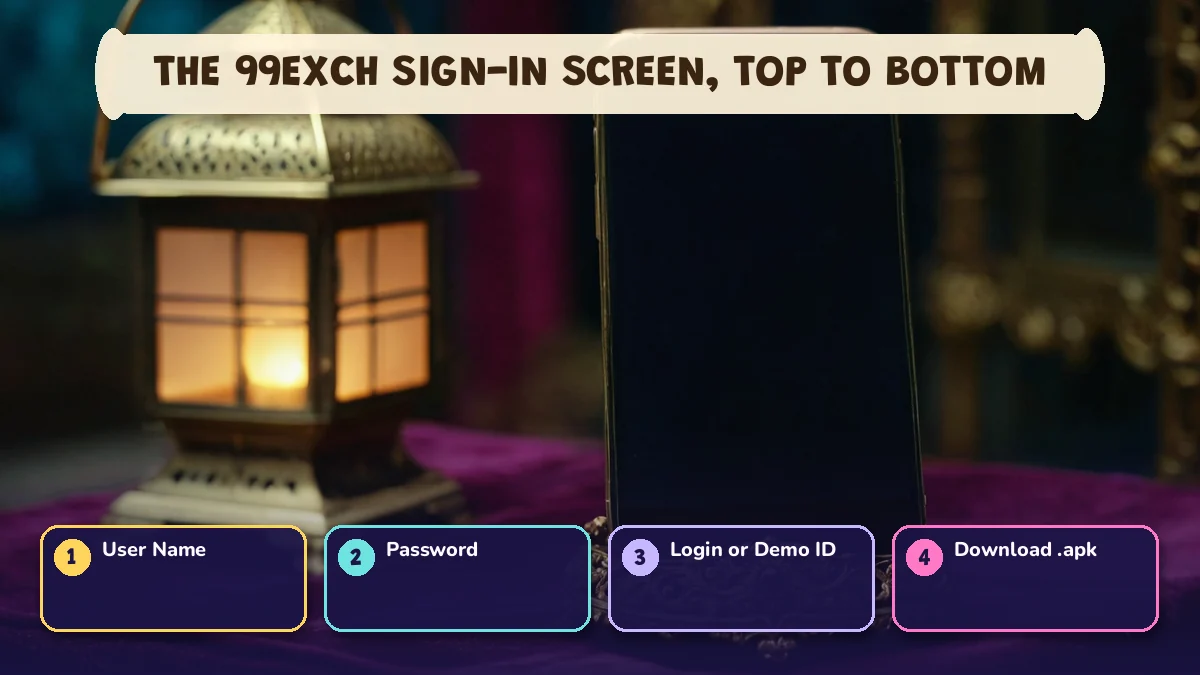
The 99Exch sign-in screen, top to bottom card set over a phone on a golden stand: User Name, Password, Login or Demo ID, Download .apk
One 99Exch ID, one balance: sports and casino both draw on it once you are signed in.
  • Money side, in one line: top up from ₹100 by UPI or bank transfer, play cricket and casino from that one pot, and cash out to an account in your own name, which the desk quotes at 2-5 minutes (more on My 99 Exchange).
  • Sign in on .red today and .win next week and you will find the same 99Exch account waiting, same ID, same balance.
  • Your session lives on the address you used, so a second address means a second sign-in with the same pair.

So the screen itself never holds money. Name and password, nothing else, is all it checks. Everything financial happens after you are through, which is why a wrong password costs you a retry and not a balance.

When the 99Exch screen does not move after you press Login

Work through it in this order, cheapest check first:

  1. Retype both values by hand, watching the first letter and any trailing space.
  2. Switch from home Wi-Fi to mobile data, or the other way round, and reload the 99Exch address.
  3. Open a different address from the table further down this page and sign in there with the same pair.
  4. Message the 99Exch desk under Password Issue if all three fail.

Step two matters more than people expect. Blocks applied at provider level can stop the the page from answering at all, and on a slow connection that looks almost exactly like a refused password, which it is not.

Free 99Exch Demo ID Login Compared With a Real ID

Item five on the map is the odd one out. One press. You type nothing and pay nothing, yet you still get past the 99Exch screen into a practice account, which makes Login with Demo ID the cheapest way to see what sits behind the real Login before any money moves on 99Exch.

PointDemo IDReal 99Exch ID
How you get itPress Login with Demo ID on the sign-in screenAsk the WhatsApp desk; it says about 1 minute
What you typeNothingUser Name and a case-sensitive Password
DepositNoneFrom ₹100 by UPI or bank transfer
MoneyPractice onlyOne real balance for sports and casino
WithdrawalNothing real to take outFrom ₹100 to an account in your own name

Think of the demo as roughly a rehearsal: same front door, no stakes. We would treat it as a way to learn where things sit, not as a preview of how any market will behave, because practice credit and a real balance are different things even when the screens look alike.

When you are ready to switch, nothing on the demo side carries over. Getting a real 99Exch ID is a separate step with the desk (covered two sections down).

A sensible order for a first 99Exch visit: demo, then a real ID

If you have never seen a 99Exch account, there is a case for pressing Login with Demo ID before messaging anyone. You learn the layout, you see how back and lay prices sit in pairs, and you find out whether the address you picked loads well on your connection, all without a deposit. Then ask the desk for a real ID, wait the minute or so it quotes, and sign in properly with the User Name and Password it sends.

Some people skip the demo entirely. That works too.

Where the 99Exch Login Searches Fit on This Trusted Screen Map

Map items one to four: what a 99exch login query really needs

Someone typing 99exch login usually wants the screen itself and the order of steps on it. Our hero card and the nine-piece map above carry that: two boxes, one Login button, and a demo door under it.

Why people type 99exch id login right after the desk replies

Adding the word id usually means the desk has already replied. Here, 99exch id login is handled by map item two: the ID from that chat becomes the User Name, letter for letter, capitals kept.

What a 99exch login password search usually means on this page

Typing 99exch login password into a search box is mostly about case. Passwords here are case-sensitive, and a reset is handled by the desk, with the refusal list on the com login error notes.

Demo access sitting right next to the real 99Exch sign-in

Login with Demo ID needs no ID and no deposit, so it answers the searcher who wants to look before committing to anything.

Addresses that showed the same 99Exch screen in our check

Five endings, one layout. Our dated table further down lists each of them and the one that failed outright, the .io ending.

Search phraseHandled in
99exch loginHero card and screen map
99exch id loginUser Name box notes
99exch login passwordTyping steps and FAQ

Five Live 99Exch Endings Carrying the Same Two-Box Login, Dated 11 Oct

Betting domains get blocked in India from time to time, so the 99Exch sign-in screen turns up on more than one adress. Our dated check, a morning pass on 11 Oct 2026 plus a re-check at 14:49 IST, found this:

AddressWhat it served in our 11 Oct 2026 check
99exch.proThe full sign-in screen, all nine pieces
99exch.redThe same sign-in screen
99exch.liveThe same sign-in screen
99exch.greenThe same sign-in screen
99exch.winThe same sign-in screen
99exch.comMatch rows and a promo layer; reach the two boxes via Login up top
99exch.io404, no site served

Two more routes behave the same way. In a 10 Oct check, the /m/home and /m/login paths on 99exch.red both rendered the sign-in screen, because the mobile route opens the login first; the 99Exch red address page has that detail, and the 99Exch win login page covers the .win door on its own.

Since the table lists addresses, we should say who we are. We only write about 99Exch from 99exech.net.in; none of the endings above belongs to us, and the card at the top of this page hands you over to the official sign-in instead of taking a password itself.

An address refusing to load? Blocks are applied by the network provider, so home Wi-Fi can refuse an address that mobile data still opens. Switch networks once, then try another address from the table. Same ID, same balance, whichever door opens.

Treat the table as a snapshot, not a promise. Addresses move.

If 99exch.com opens a lobby instead of the 99Exch login screen

That is expected. In our check, 99exch.com answered over http:// and on www with the full sports lobby rather then the sign-in screen: Rules and Login in the top row, a Download APK promo layer on the first open, and a 24x7 support badge in the bottom-right corner. Close the promo layer, then use the Login link at the top. Our bare https:// request timed out once at 05:38 and loaded when we tried again, so one failed load there is not the end of it.

99exchpro.com opened a lobby in the morning, then timed out at the 14:49 IST re-check. Unreliable; use the 99Exch addresses in the table first.
99exchange.com: skip it. Our check got a small holding reply there, with nothing to sign into and no 99Exch lobby behind it.

Keeping two working 99Exch addresses one tap away

Pin two of them. Any phone browser can put a web address on the home screen from its own menu: in Chrome it is the three-dot menu, then Add to Home screen; in Safari it is Share, then Add to Home Screen. Do it once for, say, 99exch.red and once for 99exch.win, and a block on one leaves you a second icon that opens the same 99Exch sign-in screen with the same ID behind it.

No 99Exch ID Yet? The Fast WhatsApp Route Before Your First Login

There is no sign-up box on the 99Exch screen. That surprises people. Real IDs come from the desk behind Contact On Whatsapp, and the desk says it takes about 1 minute; the User Name, the Password and the login link come back to you by WhatsApp or SMS.

Save +91 81097 11726; that is the desk number, written as plain text here, and the chat runs 24x7. You share a name, a contact number and confirm you are 18 or over; the full chat flow is in the chat-by-chat 99 Exchange sign up steps, and the ID side of it is on the 99Exch ID desk page.

Four lines sit on that desk: New ID, Deposit Issue, Withdrawal and Password Issue. For a first 99Exch login you only need the first one. Keep the reply message, though, since it is the only place your User Name and Password are written down, and you will want it again the day a new phone or a new address asks for the pair.

And if you would rather install the app before signing in, the Download .apk button on the same screen fetches it for Android; an "App not installed" error usually means an older copy is still on the phone, which the 99Exch app download page deals with properly.

Then you come back here. Paste nothing blindly, type the pair, press Login, and if the first letter misbehaves you already know why.

99Exch login questions card set over a rolled parchment scroll: Case-sensitive password?, What is Demo ID?, Same login everywhere?

Eight 99Exch Login Questions From the Sign-In Screen, Answered Fast

How do I log in to 99Exch?

Type your User Name and Password, character for character, into the two boxes on a working 99Exch address such as 99exch.pro, then press Login. Capitals matter in both. Landed on a lobby full of match rows instead? Tap the Login link in its top row to reach the two boxes first.

What does Login with Demo ID do on 99Exch?

It opens a practice account straight from the sign-in screen, with no User Name, no Password and no deposit. Use it to learn where things sit on the 99Exch account side before you commit. Practice credit is not real money, so a demo has nothing to withdraw.

Where do I get a 99Exch ID to log in with?

Not from the sign-in screen itself, which has no sign-up box. Tap Contact On Whatsapp at the bottom of the 99Exch screen and ask there. When the reply arrives, the User Name it contains goes in the first box and the password in the second, typed exactly as the message shows them.

Is the 99Exch login password case-sensitive?

Yes. Swap a capital for a small letter and 99Exch reads it as a wrong password, and the User Name behaves the same way. Keyboards that capitalise the opening letter cause most of these refusals, so check that letter first. After a careful retype fails, use the Password Issue line on the desk.

What is the reCAPTCHA line on the 99Exch login screen?

It is a notice that the sign-in screen is protected by reCAPTCHA, the Google check against automated login attempts. You do not type anything into it. On the 99Exch screen it sits under the Login and Login with Demo ID buttons, above Download .apk and the WhatsApp contact.

Does the same 99Exch login work on every address?

Yes, the same 99Exch ID and the same balance work on any working address. In our 11 Oct 2026 check, 99exch.pro, .red, .live, .green and .win all served the same sign-in screen, while 99exch.io returned a 404. Domains get blocked in India from time to time, so keep a second address handy.

Can I do the 99Exch login on a phone?

Yes, and on a phone it is often quicker: the /m/login path on 99exch.red, checked on 10 Oct 2026, lands straight on the two 99Exch boxes. Android owners can take the file from Download .apk instead. On an iPhone, pin the address from the browser menu and it opens like an app icon.

How do I stay safe signing out of 99Exch on a shared phone?

We mapped the screen before sign-in, so we cannot point to the exact log out control inside the account. On a shared phone, leave any remember option unticked, close the 99Exch tab when you finish, and ask the WhatsApp desk for a password reset if someone else may have seen it.